Forum
Questions, builds, help and the odd argument. The mods and guides are out front.
Notifications
Clear all

Jul 9, 2018 10:38 pm
That's amazing, did you finally figure out how to use scaleMesh?

Topic starter
Jul 9, 2018 10:47 pm
Sort of, the key is to make a duplicate of the mesh as to not scale all the instances of the same mesh. If you would just do:
int meshID = getMesh();
temp_meshRes = new ResourceRef(meshID);
temp_meshRes.scaleMesh(2.0,2.0,2.0);
then if you had the same part two times in an inventory (or anywhere in the game) both would become twice as big.
So the correct would be:
int meshID = getMesh();
temp_meshRes = new ResourceRef(meshID);
temp_meshRes.duplicate(temp_meshRes);
setMesh(temp_meshRes.id());
temp_meshRes.scaleMesh(2.0,2.0,2.0);
Another quirk is that this is additive so this:
temp_meshRes.scaleMesh(2.0,2.0,2.0);
temp_meshRes.scaleMesh(2.0,2.0,2.0);
will make the mesh 4 times bigger.
Jul 9, 2018 10:51 pm
Well that's pretty amazing, i'm already thinking about how to fit this into rims/tyres scripts so that they become kind of like need for speed underground 🙂)
Topic starter
Jul 9, 2018 11:04 pm
Well I suppose scaling wheels may be possible because they are fully set up in script(radius and everything)
Jul 9, 2018 11:10 pm
Indeed!

Jul 10, 2018 2:56 pm
Nice work! Adjusting the scale would be better with a slider though.
Topic starter
Jul 10, 2018 5:35 pm
Lagano wrote[..]would be better with a slider though
Yeah I hear you, I updated the thing to work with a slider instead.
On the scaleable wheels though; only parts with a mesh defined in the cfg can be scaled this way, sadly wheels and tyres are traditionally missing the mesh line form the cfg (the mufflers do aswell) for the tyres this line can't even really be included as the mesh can change depending on the dimensions of the rim you are trying to attach it to, as far as I can tell this works something like the paintable parts as in the game registers the given texture (defined with the texture line in the cfg) as a dynamic property of the RenderRef but if it's missing you can't really do anything about it, it is the same with the mesh line if a part is missing the mesh line you cant force a mesh with the setMesh() either (the main problem with the code I posted above is that if there is no mesh line in the cfg the getMesh() returns 0x0000, if one tries to call setMesh() on such a part the getMesh() will still always return 0)
This leaves one not so appealing option one could look up the mesh of a given RenderRef and directly scale that in the games resource engine but this will result in every mesh of this type to be scaled (two cars with the same rims => all 8 rims will be scaled).
Jul 10, 2018 5:58 pm
You are right and wrong about that, all my rims and tyres have mesh lines(actually i never saw rims without them?? tyres yes) and the tyres tab that changes mesh according to rim width can be ignored as it also have a default rendertype(which can as well be ignored if you drop mesh and render on cfg).
Anyways the rims and tyres that lack these lines can be "easily" fixed, i guess - or anyway they'll not be scalable lol.
Topic starter
Jul 11, 2018 4:26 am
I was kind of intrigued so I went ahead and made a DynamicRim whose size (width and radius) and appearance can be "tuned" furthermore I added a DynamicTyre to this DynamicRim with "tune-able" mesh, size and other params (the wheel params that can passed to the SetupTyre(..) function) the result is interesting 🙂 , I also maintained the paintability of the rims with a trick (I made a RenderRef with a texture array consisting of 10 of the same texture which is handily the paintable one, this ofcourse makes all textures the rim uses paintable even the reflection but reshade overwrites that so no harm done (well at least when reshade is active))
(For this(the dynamic mesh selection) to work I had to make a long list of valid mesh TypeIDs and renderRef TypeIDs for tyres and rims so the solution is not hmm portable but it can be done (and if we'll find a way to get the MeshID of a given renderRef in script it can be made portable aswell, nevertheless the method can easily be used for a single modded rim)
I know it looks silly but at least now we CAN make it look dumb without much hassle.
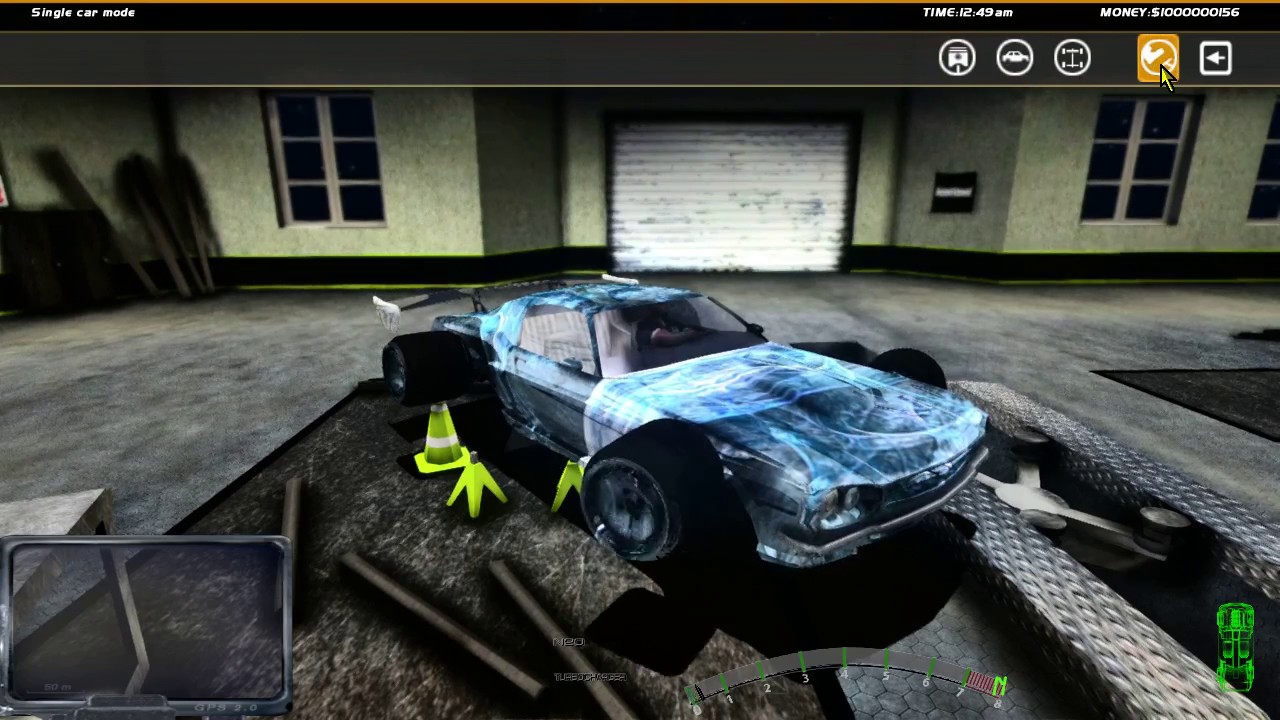
I added this to the "Ever refreshing patchlink" for SlrrExhaustive

Jul 11, 2018 12:56 pm
this is seriously cool.... like.... really cool
Jul 11, 2018 1:09 pm
:-X LMAO MAN, i'm fucking amazed by the shit you manage to come up with, especially from the amount of time you need to make these things come true... holy fuck 🙂)
Jul 11, 2018 3:04 pm
i'll just trow a crazy idea..... dont even know if its posible... but..... Bump Maps????
Topic starter
Jul 12, 2018 12:45 am
:/ that unfortunately requires overwriting the way the game renders objects and that is harder than it actually should be because the game uses the (archaic even considering the original release date) fixed function pipeline of d3d9, its not impossible but quite tedious, however if and when that happens it gives way to even more advanced effects (fixing the reflections for example(as the normal the reflection uses is per-vertex currently)), furthermore the Part native class (and its dependencies) would need to be properly reversed for the ability to give unique properties to objects(instances) (unlike the global overwrite thats used now(for the reflections))
Jul 12, 2018 5:22 am
I'm not sure if this helps, but bumpmaps are already exportable with v4 exporter(not sure if v3 too) and if i recall correctly they get rendered as flat textures(diffuse) ingame, so that should mean that the engine does actually recognize the presence of this extra texture but doesnt know how to handle it exactly... i might be wrong though, havent quite messed with these things in a while 😃

Jul 13, 2018 1:23 am
Sorry to bother you, but do you happen to know anything about how the aero deflectors in the CFGs work?