Forum
Questions, builds, help and the odd argument. The mods and guides are out front.
Notifications
Clear all

Topic starter
Jul 13, 2018 2:15 am
I only know that they are represented by the "wing" line, and their format but as to the meaning of the numbers no clue so far sorry.
(from tests (some time ago) I concluded that you can only add angular velocity with wings to a car so rotation only, an actual flying plane with proper "wing" lines is impossible (it is also impossible to create a car with enough downforce for it to maintain grip on the ceiling of a tunnel (as F1 cars could theoretically do)) only the angle and the intensity of the rotation can be changed as far as I know but this is not conclusive I didnt decode much of the code handling wings)
Topic starter
Jul 16, 2018 7:52 am
I came around and replaced the fixed function pipeline implementation of the reflecting surfaces to a programmable one, this is good because it opens up the game for advanced lighting models, though I could not manage to get per-object data to the d3d9.dll from the javascript engine; the rendering and the virtual machine is very well separated, this is bad however because eventhough we now can manipulate the appearance of parts to quite a great extent this feature can not be controlled from the script engine and that makes the whole thing again global (each reflecting surface will have the same properties (at least the same overwrites)).
Another bad thing about this is that because Slrr uses directx in an extremely uninformed manner (a frame in Valocity can easily exceed 60000 d3d calls...) FPS will suffer a bit (it's quite playable in my opinion, and the additional visual fidelity is well worth the 2-7 FPS deficit) and there isn't really anything to be done about it :/ (or at least not with my knowledge)
But now there is a reshadeFx\NativeHLSL\uPS_VS.hlsl file which can be used(and modified) to render the ingame reflecting surfaces (if someone is good with this kind of stuff, I do know that the hunt for the perfect car-paint shader is still interesting to some)
The good part is properly aligned relfections (
), a nicer specular reflection with "flakes", proper spot lights, per-pixel lighting, bump-mapping I must emphasise that it is bump-mapping not normal mapping (there is no available tangent or bitangent from the model format and the game is preforming slow enough as it is(without generating these at runtime) further more I'm pretty sure my bump map implementation is incorrect but I think there is another matrix needing inverting for it to be pristine but that is time consuming so I opted out)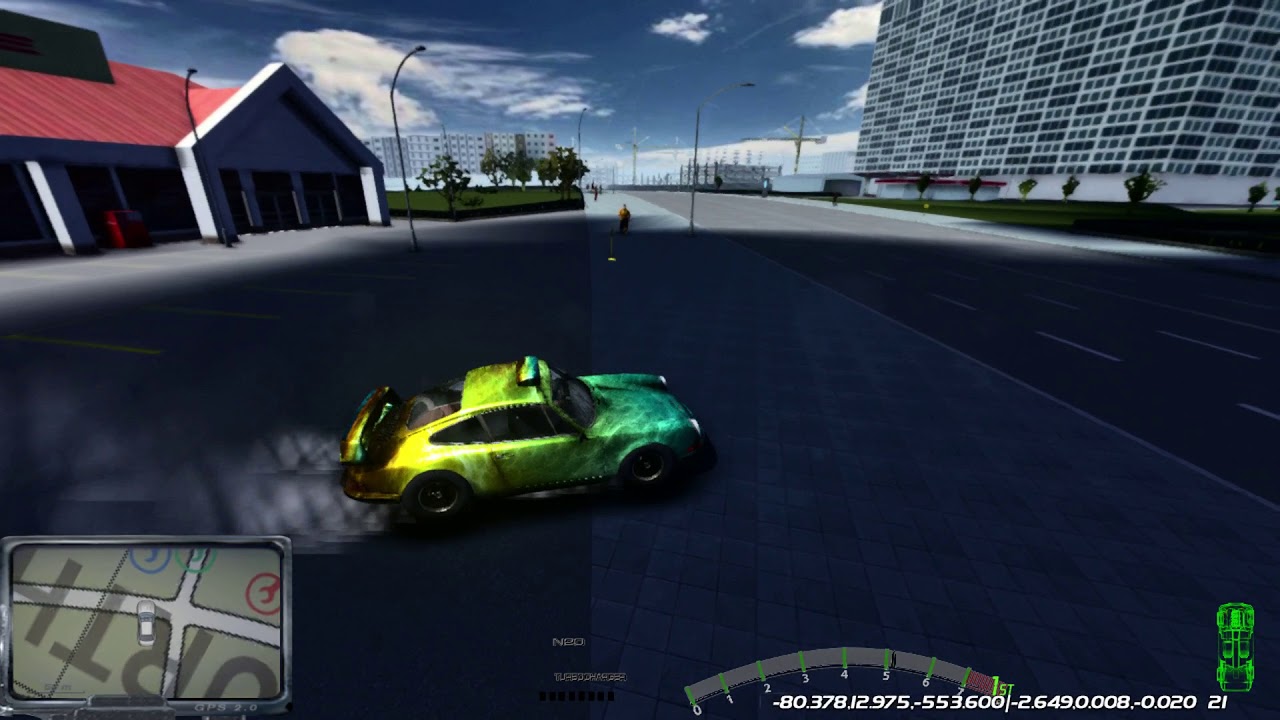
mainly the ability to modify this aspect of the game is the plus side 🙂
Spoiler:
Spoiler:
Spoiler:
Spoiler:
I have updated the "Ever refreshing patchlink" for SlrrExhaustive and the SlrrExhaustiveBits download aswell.
(I must admit that my solution feels quite suboptimal but I honestly can't see a meaningful way to improve it this is not my expertise though and I'm fairly certain that if someone who actually knows shader programming takes a look at the .hlsl will faint let's hope after waking up he/she will optimize the code a bit and share the results 😃 )
As a last note this should be regarded as a not fully tested version there may be some obscure conditions I haven't ran into yet.
Added 5 minutes later:
Of course the current implementation is highly customisable as it has been before, there are numerous new properties in the ReflectionSettings.fx in the Reshade menu (for once the name checks out)

Jul 16, 2018 10:46 am
HOLY SHIT THOSE FLAKES, that shit's dope dude! I dont know how you manage doing all this stuff but damn you're a hero... also what's up with mitch with his arm out of the window? You set that to be permanent? XDD

Jul 16, 2018 12:22 pm
Mitch just likes to chill sometimes. 🙂) That happens to me often but i guess it's random.
Those reflections look amazing!! Yeah i'm sure that FPS drops a bit but it should be perfect for taking photos.

Jul 16, 2018 4:22 pm
Holy shit..... damn this is awesome, thank you for doing all this, its really the most significant thread since MWM came out a few years back...
Jul 16, 2018 6:47 pm
Thank you Franco 🙁 🙂)
Jul 16, 2018 7:06 pm
# Bigg Boss93 :
Thank you Franco 🙁 🙂)
lol.... dont get me wrong italiano.... your mods are awesome too! you and amilmand are really changing slr AGAIN..... which isnt easy to do...
Topic starter
Jul 16, 2018 8:48 pm
Yeah BB is the brains of the operation I just like to code 🙂

Jul 16, 2018 8:51 pm
Holy crap, that's incredible.
Is it possible to run a very stripped down implementation? I'm using a more regular SL install and ExhaustiveBits, and occasionally I turn on the real time reflections (but usually only frozen for screenshots). Can the thing be configured so that the only real changes made are, for instance, to the reflections?
Topic starter
Jul 16, 2018 9:04 pm
Yes the code path of the new update can be disabled in its entirety, if you set the ReflectingShaderOverride to 0 the game will use the original vertex and pixel processing, this is again entirely dynamic so can be switched on or off anytime in the runtime reshade menu, the pictures in the ComplexityLOD spoiler in my original post were made with flipping these variables on/off (it just has reshade on top of it).
Jul 16, 2018 9:24 pm
Am i? lmao i was saying thank you just because some years ago i, with Harrison15, made the "slrr2015", which wasnt too bad, but Franco seemed to forget about it, i really doubt i'm the brain of anything. lol
Anyway you're just insane, your skills are so. I just have no words to describe how excited i am everytime i see your thread popping up.

Jul 17, 2018 1:49 am
Sorry amilmand but could you implement the track.java from BB93 to your exhaustive bits? I sorta liked the T hotkey from BB93 to change the time and such and i think it's quite useful to get use on photograph session...
Topic starter
Jul 17, 2018 6:45 am
BB already did LINK
(the time can be changed with the 1,2,3 keys in the original SlrrExhaustive track.java)
Added 59 minutes later:
I was bothered by the FPS problem something was fishy about it making the reshade effects gradually more demanding didn't make a difference it just decided at one point to run like its 2003 again. After some thought I realised that there may be some kind of vsync issue and checked the presentation interval the game creates the device with and noticed that when in windowed mode it sets PRESENT_INTERVAL_IMMEDIATE but when on exclusive mode (fullscreen) it sets it to D3DPRESENT_INTERVAL_DEFAULT or unspecified which is a sound tactic actually but for some reason the game consistently misses this deadline set by the vsync constraint effectively halving the fps it could otherwise manage, so I tried to set the presentation interval to PRESENT_INTERVAL_IMMEDIATE in fullscreen mode aswell and sure enough it was better but this ofcourse causes screenteraing and this is where fake fullscreen mode comes in; when an application is in windowed mode in a windows os it is at the mercy of the DWM (desktop window manager) and that requires some sort of vsync no incomplete backbuffer should be copied to a window and this actually resolves the tearing in a gentle way if the program misses the deadline it only skips that one frame (I think this is what D3DPRESENT_DONOTWAIT should do but somehow Slrr manages to mess up that aswell)
I wrote way too much for this post anyway I updated the links:
"Ever refreshing patchlink" for SlrrExhaustive and SlrrExhaustiveBits
The new thing is that the new exe wont add a border for the window it creates in windowed mode so if it's ran with the current desktop resolution it will act as a very simple fake fullscreen mode, which helps with the newly introduced screentearing if it is too bothersome.
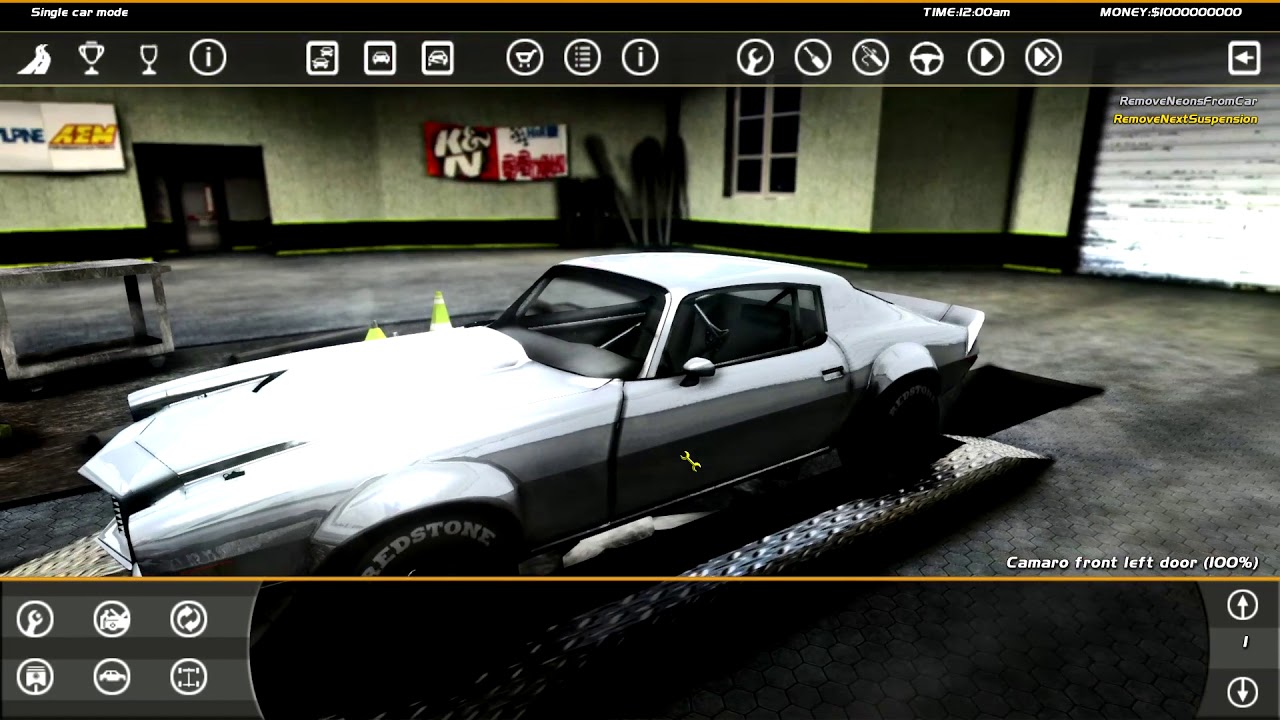
Here is the effect in full hd with all of reshade and the reflecting shader replacement active on my PC though results may vary.
(measuring fps with immediate mode doesn't give proper results so I didn't try that)
Added 20 minutes later:
Hmm watching the video it doesn't really depicts the feeling very well another plus side is that even if the frames don't come that much faster the input processing is also improved so there is less input-lag I think that adds greatly to the hmm smoothness feeling which the video misses to convey.
Added 10 minutes later:
I failed to mention; I also included an edited objects.rpk (the original is there in the zip aswell as a backup) which removes some of the objects from Valocity further improving performance (meddling with the drawing part of the game made me think the overwhelming number of d3d9 calls should be reduced and this seemed a good way I dont think the trash bins and advertisement columns provide such a value)
Jul 17, 2018 11:01 am
I know about that BB93 has made it but i'm afraid that it'll change your newer patch hahaha, thanks though
Topic starter
Jul 17, 2018 1:18 pm
Oh I see 🙂 the file is still valid I didn't change the Track.java from the original SlrrExhaustive release.