Forum
Questions, builds, help and the odd argument. The mods and guides are out front.
Notifications
Clear all
General
39
Posts
14
Users
0
Reactions
20 K
Views

Jan 1, 2018 5:12 pm
Here I used DSR and max possible AA forced by drivers, then I got it in PS and did a lot of PS corrections like contrast, colour and clarity enhancing, some HDR, not to mention there was four photos used (two colours of car, two levels of DoF).
You can run SLRR in whateverK as long as your PC supports it (even if it runs in 2 FPS with maxed AA like on my GT620, though I use an overkill AA set), it doesn't (as shouldn't) affect stability of the game itself.
SLRR screen capture (F12) doesn't save AA (or at least it didn't when I checked it last time), Fraps ftw.
ENBs and other d3d9 mods kill your forced AA too, so if you use it there's no wonder it looks jagged (and no, just turning it off doesn't help)
And use png. JPEG sucks your quality, even with the lowest compression possible.
# Zero :
Bigger monitor
Veri fani. I approve

Topic starter
Jan 1, 2018 6:01 pm
# ALAN :
Here I used DSR and max possible AA forced by drivers, then I got it in PS and did a lot of PS corrections like contrast, colour and clarity enhancing, some HDR, not to mention there was four photos used (two colours of car, two levels of DoF).You can run SLRR in whateverK as long as your PC supports it (even if it runs in 2 FPS with maxed AA like on my GT620, though I use an overkill AA set), it doesn't (as shouldn't) affect stability of the game itself.
SLRR screen capture (F12) doesn't save AA (or at least it didn't when I checked it last time), Fraps ftw.
ENBs and other d3d9 mods kill your forced AA too, so if you use it there's no wonder it looks jagged (and no, just turning it off doesn't help)And use png. JPEG sucks your quality, even with the lowest compression possible.
Veri fani. I approve
Oh shoot you were the guy who took that RWB! Thanks for the advice, I'll follow your instructions and try to see if I can shoot some photos with better quality.

Jan 1, 2018 11:19 pm
# ShadoWPhoeniX :
I found a picture in SLRR that was taken in 1440p and it looks VASTLY better than all of the photos in this thread. I wanna know how to run SLRR in 1440P... 🙁
Dude your 750ti is a 2gb graphics card.. You can't expect much. Listen to everyones advice use coprone's or whoever elses ENB and use zoom on photos.
Jan 2, 2018 12:04 am
^ XD. That was made on 1 GB GT 620. 750ti can easily do same in much better framerate

Jan 2, 2018 12:20 am
# Sam C :
Dude your 750ti is a 2gb graphics card.. You can't expect much.
SLR:R can only process a maximum of 2 GB graphics memory anyway, so any more than that won't make any difference.
Topic starter
Jan 2, 2018 7:56 am
Alright so I have no idea how to turn on DSR. I turn it on using Nvidia Control Panel but there's no difference in the screenshots I take, and I looked it up and found out people use Nvidia Geforce Experience to turn it on, except Geforce Experience won't pick up SLRR as a game.

Jan 3, 2018 12:02 am
Here's a shot taken at 4K
The quality as you can see is shit-tier. This is 4K and this is 1080p quality. This is why I say it needs 8K.
Here's with Nvidia control panel settings. I had them for another slrr exe so it wasn't working.
Topic starter
Jan 3, 2018 7:19 am
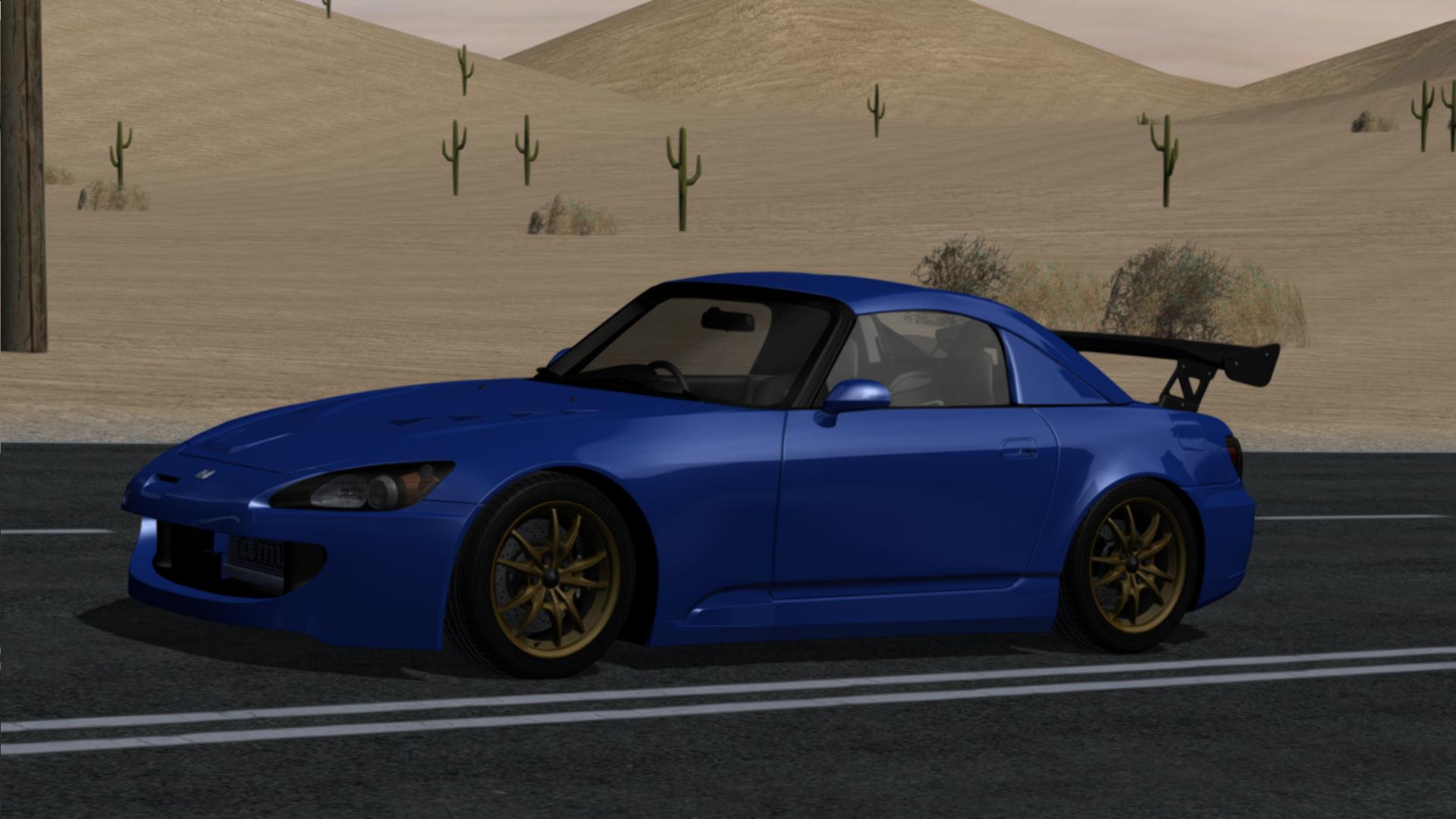
Alright so this is about the best I can make my screenshots look.

Jul 16, 2018 11:32 am
Found your post interesting to read. I can’t wait to see your post soon. Good Luck for the upcoming update. This article is really very interesting and effective.
Page 3 / 3
Prev