Forum
Questions, builds, help and the odd argument. The mods and guides are out front.
Notifications
Clear all

Aug 8, 2018 12:07 pm
Yes. And the link to that other mod /d/4112-skydome-s-and-lightning
Added 24 minutes later:
And I did start over on the light edition. It seems like the same result. It seems like BB’s loads everything faster with nothing installed other than your mwm patch.

Topic starter
Aug 8, 2018 2:16 pm
Been thinking about it and you can potentially experience longer loading times because the game does not unload objects in regard to frustum culling anymore and the initial position of the camera does affect the time the loading screen is up (if you have obscenely high draw distance this can be more noticeable)
but this is for good reason and it has great benefit regarding fps: here is a comparison video (we can see that the original (left) unloads objects(the car, buildings) and spends a lot of time reloading them when they eventually get into the view frustum which results in atrocious fps:
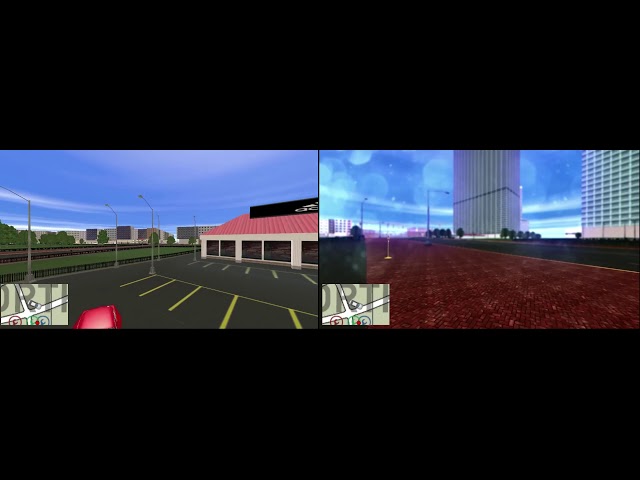
So we may account the longer loading times when loading tracks to the lack of frustum culling in other places though it may be another thing I recently added a (I think) erroneously missing present call on loading; the game previously did not call present only endscene when it was loading something but this should not have a noticeable impact though if you are playing the game on some higher resolution (>1080p) it may have an effect because previously the reshade did not post process these orphaned frames (ones with no present call) and now it does so the effects ofcourse take some additional time to render... (and this missing present call was the reason for frames rendered with no postprocessing on attaching or detaching a part to/from a car)
But alright let's find out if it's the fix with the present here is a version of the modified reshade with an option in the reflection settings (EnablePresentOnEndScene) try the game with it set to 0 if it goes back to normal (regarding the loading times).
LINK
For the fps issue can you record it perchance against the original? I find it quite surprising.
Aug 8, 2018 2:37 pm
I'll do my best. If not, i'll at least give you a number comparison on stock vs with the reshade. And i'll do it on two different games with the same settings etc
Added 24 minutes later:
with reshade and option"EnablePresentOnEndScene" set to 0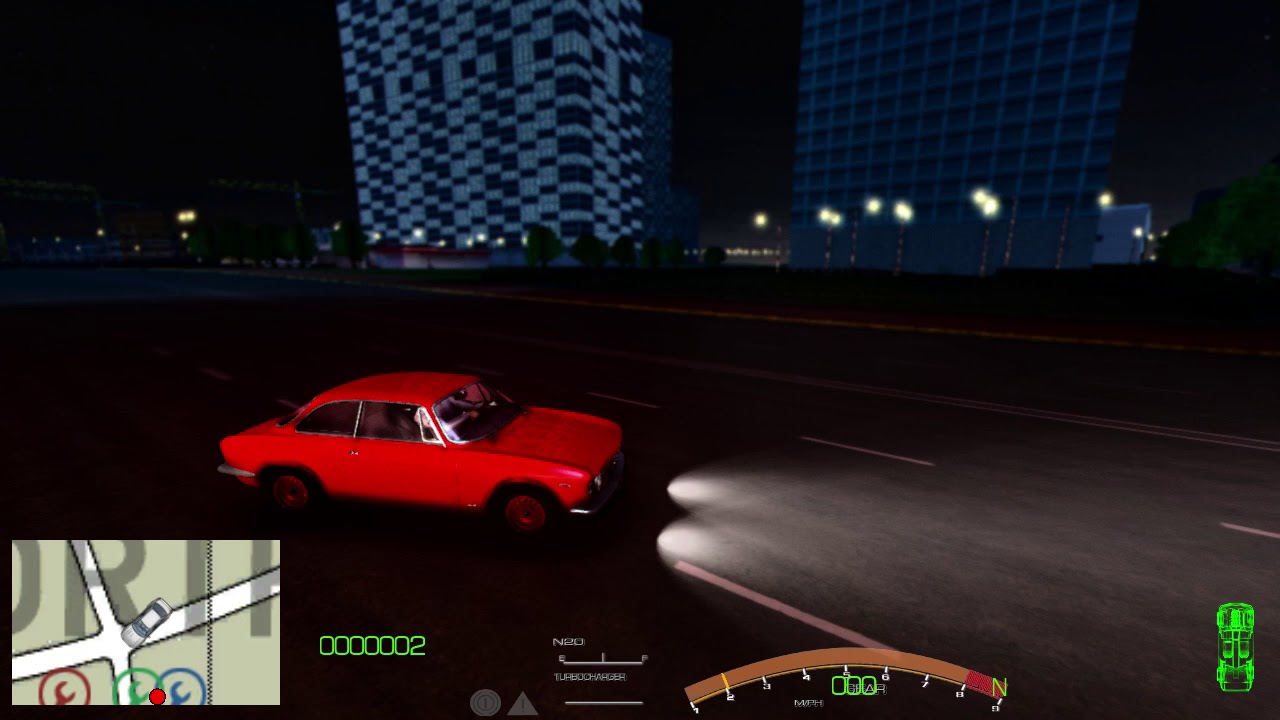
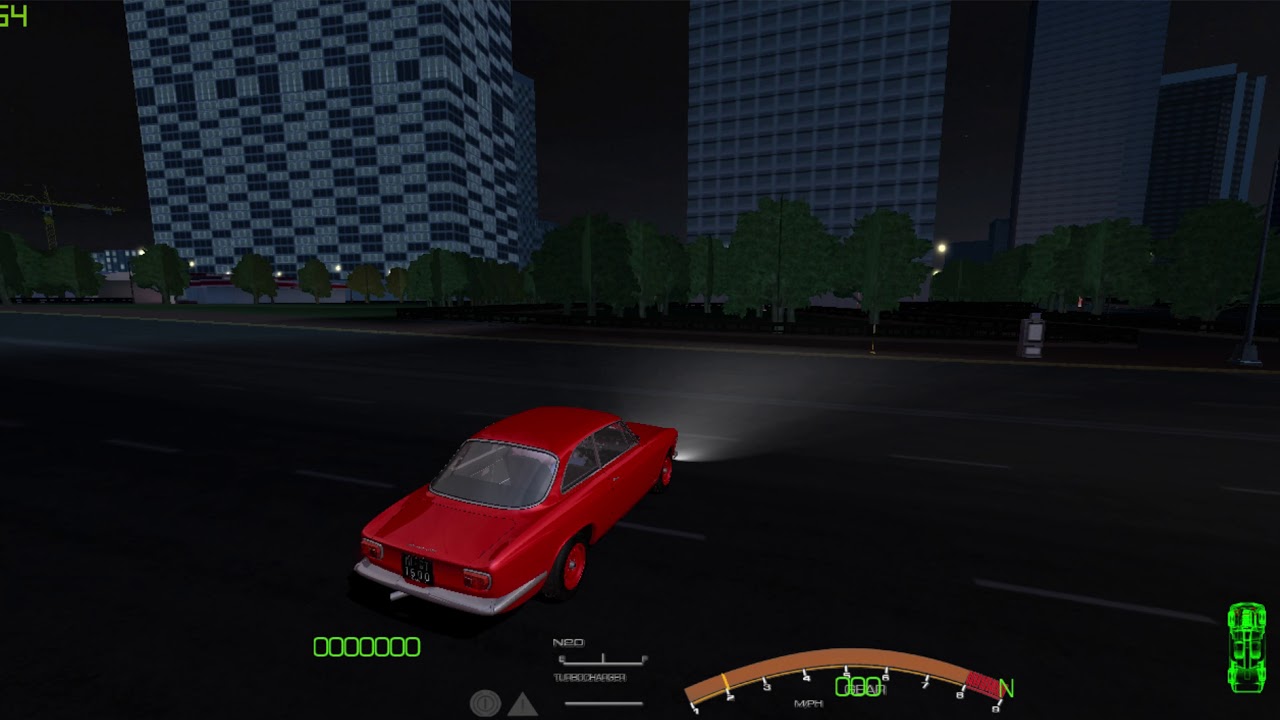
without reshade. I couldn't get it layered over like you did(The fps for the one without Reshade was measured by Nvidia Control Panel.)
Topic starter
Aug 8, 2018 3:52 pm
Thank you for the videos!
The fps measurement is thrown off with EnablePresentOnEndScene set to 0 because of the missing present calls I was aiming more for how the game feels with the two setups I don't think we can get reliable fps measurement in either setup. (the missing calls could confuse the measurement of nvidia aswell, if for example nvidia measures a longer ruining average and measure endscene-calls/seconds, this could account for the fps difference, reshade measures present-calls/seconds)
Unfortunately I don't think there is anything to be done (I'm working on some lighting related optimizations though which will ease the load on the cpu some maybe that'll help once I manage to find out how to track the creation of the damn lights...), naturally the game processes more with reshade active so the 40 fps is believable with the enormous amount of draw calls the game operates with and the overhead of the render state parsing reshade does for the native shader overwrite.
If you find it actually feels choppy try it fullscreen vs windowed mode it does preform better in windowed mode for me (but this maybe irrelevant since the game is noticeably faster with reshade on my setup), or tone down on the effects (AmbientLight is a prime candidate to disable it is quite heavy) also I use a draw distance of 800 the fog is never further than this I found.
Aug 8, 2018 4:00 pm
Alright. Thanks. That said though it felt and looked like it performed better with your modified reshade vs the other reshades, so maybe those settings should be improvised into the next patch(Unless they're already in the current patch.)
Topic starter
Aug 22, 2018 12:54 am
I updated the "Ever refreshing patchlink" for SlrrExhaustive and the SlrrExhaustiveBits with the new general shader overwrite which handles lights much better and does technically reduce the load on the cpu as the game was calculating pervertex lighting for static scene objects on the cpu and it did operate with a lot of lights in some places (over 300 lights in downtown Valocity...) but I don't think this is noticeable fps-wise the inefficiencies are more prominent elsewhere (while digging deeper into Slrr I found that the drawing and the general mesh and texture manipulation is atrociously inefficient, for example the game keeps 3 copies of the lights in a scene (whose number can be as high as 300 which seems alright but these get copied over each frame if you are unlucky))
In the SlrrExhaustive patch I also (finally) included the sounds Driftmonkey (Youtube) sent me they are objectively better than the originals, he did a splendid job making them kudos to him for working on a version I could include, thanks!
The general shader overwrite is disabled by default in the SlrrExhasutiveBits downloads (reshade config, ReflectionSettings, OverWriteGeneralRendering == 0) because I couldn't test all modded tracks and there may be some incompatibilities though the ones I tested didn't have any (also this is a big change in visuals so it may be a little too intrusive)
Here are some comparison pictures(first the new look, second the old)
Spoiler:

Aug 22, 2018 1:58 am
can confirm that not every map works with the new lightning patch. Some maps has it's texture turned white like westkyo garage streets
Topic starter
Aug 22, 2018 2:12 am
Do you have a link for that?

Aug 22, 2018 3:44 am
# amilmand :
Do you have a link for that?
http://www.mediafire.com/file/ztieabmc1xbuw5c/Westkyo+Garage.rar
I'm pretty sure that i messed up the Westkyo Garage. If i remember well, i made the roads in two layers: a transparent one (which is the ground) and a render one (which is the road). So the problem probably is the map and not the shader itself
This new shader is amazing! Is it possible to do something similar for the cars headlights/taillights?
Topic starter
Aug 22, 2018 4:01 am
Thanks!
If it worked originally I should make the overwrite capable of handling it aswell though 🙂
Spot lights are problematic they have a lot of parameters and the resulting shader would exceed directx9 (minimum)limits (though modern cards would be able to handle it I think (probably 2-4 more spotlights))

Aug 22, 2018 11:29 am
Hey amil, just wanted to say that when I updated my "hackjob" version of your ReShade to today's version, my fps tanked from 30+ to 12-13 in the garage, on maps I haven't even tested.
I'm using a custom preset with a small amount of shaders enabled, and a custom MXAO by Marty McFly.
Spoiler:
Topic starter
Aug 22, 2018 12:36 pm
The settings you want to try and flip (to see if they are the reason) are:
In the resahde config menu:
EnablePresentOnEndScene
OverWriteGeneralRendering
OverWriteShadowRendering
DynamicReflection
try and bring down the cfg_mem_instance_max to 1000
ImmediateMode in the d3d9.ini (this will need a game restart)
Please do tell if one of them works out.
Aug 22, 2018 12:43 pm
DynamicReflection bumped up the FPS massively, and the EnablePresentOnEndScene,OverWriteGeneralRendering and OverWriteShadowRendering did nothing.
Added 9 minutes later:
Another problem now occurs.
If I install PhysSettings.fx, my car turns into Spiderman.
Spoiler:
Topic starter
Aug 22, 2018 12:53 pm
Is it the shader maybe?
Try the ReflectingShaderOverride
Aug 22, 2018 12:56 pm
ReflectingShaderOverride just makes it more matte, and DynamicReflection still kills fps.