Forum
Questions, builds, help and the odd argument. The mods and guides are out front.
Notifications
Clear all

Topic starter
Mar 14, 2014 1:25 am
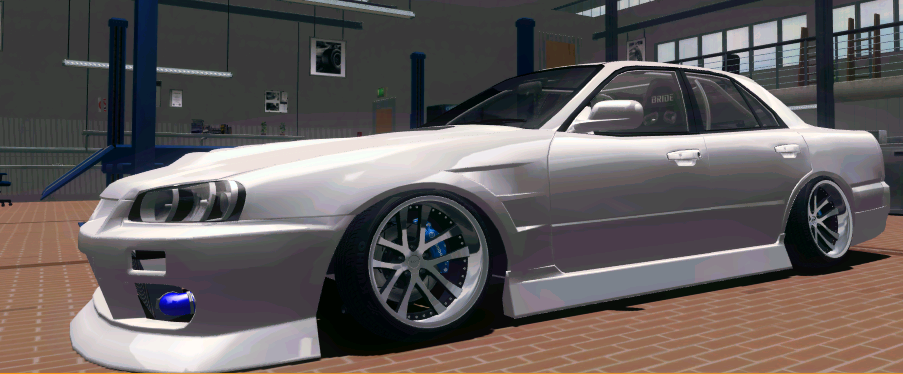
Okay so for some reason when ever I choose a track or leave the garage my graphics gets all pixelated and jagged
Before:
Out of garage:
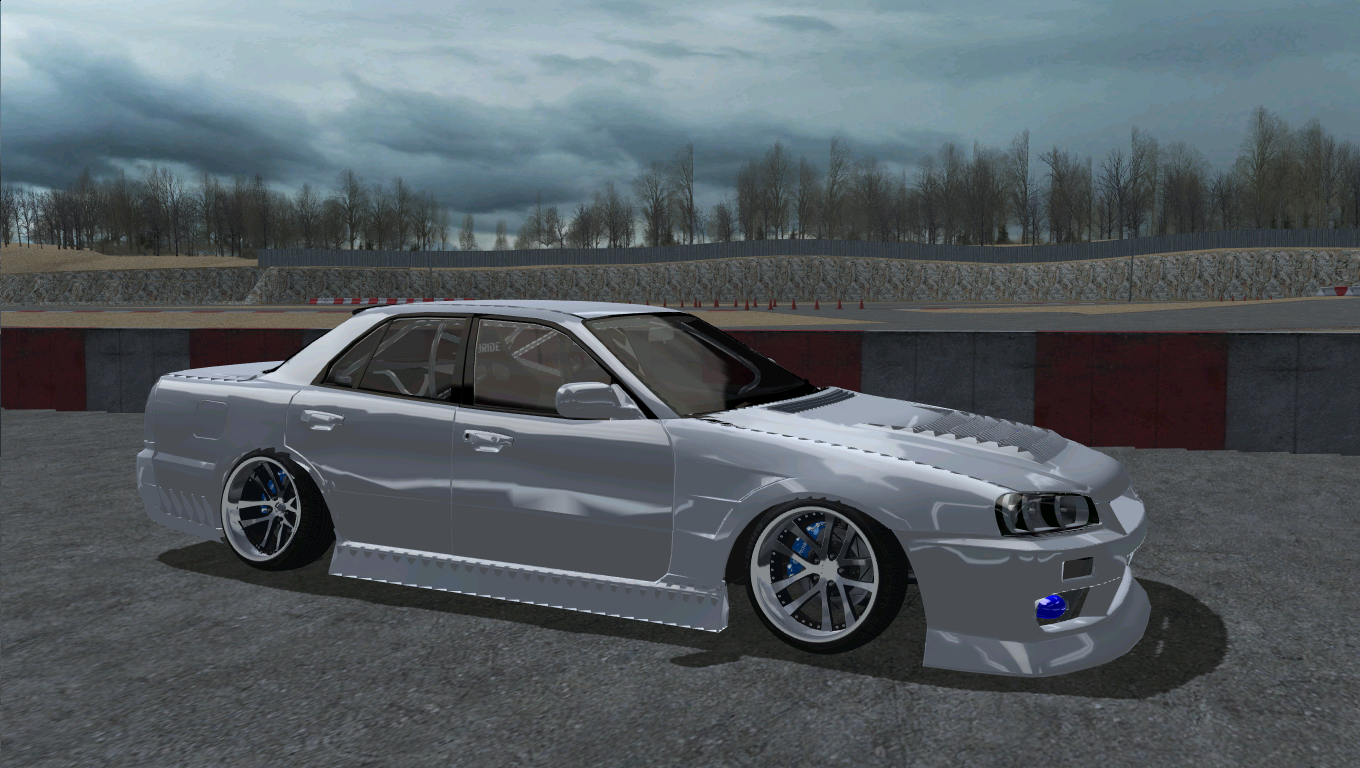
I cant figure it out! ive tried new profiles adjusting settings etc but no luck anyone know?
I am using a ATI 5500 HD card, not that it matters because its working fine its just when I leave the garage
heres what else I have tried. Updated GPU, reinstalled drivers

Mar 14, 2014 2:09 am
Mmm... You have instaled an ENB series or reflections? Maybe that is the problem
Topic starter
Mar 14, 2014 4:59 am
ENB is Stanok's one which ive been using for ages. And the reflections are Beny's

Mar 14, 2014 10:11 am
this is your gpu/cpu combo.. I have this when I look at high detailed things from FAR away not this close up tho, this seems to be that your GPU is unable to render things properly, is it just slrr that does it? have you used this particular gpu before without any problems?
Topic starter
Mar 14, 2014 3:43 pm
Have used this same GPU before and it was crystal clear no jagged edges etc
It only does it with slrr, im getting skeptical and disabling firewall haha

Mar 15, 2014 3:58 am
Try to reset your graphics profile for slrr if you have one? Did this just happen now or before?
Topic starter
Mar 15, 2014 11:25 am
@blu tried that nah happened a wee while ago
Added 1 day later:
bump, need this resolved :pimping:


Mar 16, 2014 1:43 pm
have you tried uninstalling CCC and installing the latest version?

Mar 16, 2014 4:53 pm
Take a pic of your slrr settings, your in-game settings I mean
Topic starter
Mar 17, 2014 4:28 am
# Remco :
Try this: http://www.radeonpro.info/
That isnt for 5 Series HD cards..
# Bigg Boss93 :
have you tried uninstalling CCC and installing the latest version?
Yep thats the first thing I did.
# svander :
Take a pic of your slrr settings, your in-game settings I mean
Will do.
Added 8 hours 33 minutes later:
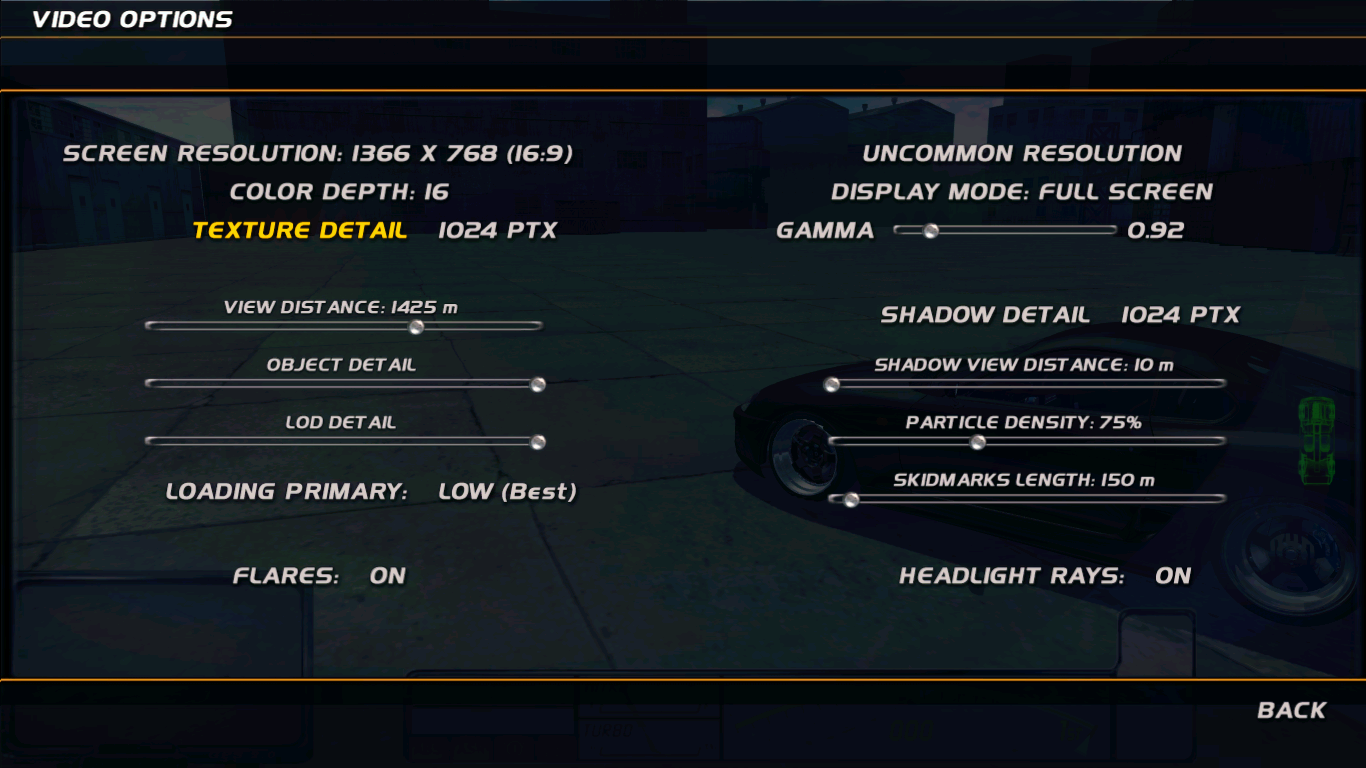
Tried changing them around a bit but still no luck

Mar 17, 2014 3:36 pm
WHy is the color depth 16?
Mar 17, 2014 3:46 pm
you should try setting loading primary to medium or high
Topic starter
Mar 18, 2014 3:17 am
# Jaziba :
WHy is the color depth 16?
Its always been like that If I try change it the game crashes.
@Bigboss yea tried that already
Mar 18, 2014 4:15 am
Are you using MSI After Burner or any kind of gpu overclocking software?
If so turn it off
Page 1 / 2
Next