Forum
Questions, builds, help and the odd argument. The mods and guides are out front.
Notifications
Clear all
Help
19
Posts
11
Users
0
Reactions
12 K
Views

Topic starter
May 21, 2015 10:47 am
Okay, this is probably the 3rd thread I make on asking how to get my game's graphics on a good level. But this time I want to get it done.
Basically I want to get graphics like this, so I can make nice screens.
The problems with my game are:
It basically looks shit.
Skydome is broken and I haven't found a way to fix it.
AA is 30% there and absolutely nothing like the pic shown above.
Any tips and tricks to get my game looking nice would be wonderful!

May 21, 2015 10:59 am
get a proper pc? what are you specs?
Topic starter
May 21, 2015 11:08 am
# Jesus Christ :
get a proper pc? what are you specs?
Windows 7 Ultimate
Intel Pentium G645 (Dual core at 2.90 GHz)
Nvidia GeForce GT630
4GB RAM
I'd say it's good for this.

May 21, 2015 11:13 am
Not that great but proof its possible to get fairly decent graphics without having an amazing computer,ive got an AMD A4-5000M with 8330 intergrated graphics. If youve got better than me marty,you should be fine to get good graphics

May 21, 2015 11:35 am
Since you have nvidia you can try the settings on the pic for nvidia inspector as they are those that i am using.
Topic starter
May 21, 2015 11:45 am
I'll try it out in the evening, gotta revise for exams in a bit.
May 21, 2015 11:47 am
that gpu is a joke, so is the cpu? it's there to render HD movies at best.. no way should you expect to run SLR with forced AA(even if that card supports it)
Topic starter
May 21, 2015 11:53 am
I don't really care about the FPS. I just want to be able to get good graphics like that only for the screenshots, not gameplay.

May 22, 2015 5:21 am
It's simple, I've used that card before and here is what I did.
I went into NVIDIA Control Panel and enabled anisotropic Filtering X16, AA, and then Enabled Ambient Occlusion in NVIDIA Inspector.

May 22, 2015 6:10 am
I enable AA through Catalyst Control Center only for screenshots because my game is unplayable while using it (15FPS when AA is maxed out.) My integrated card is a Radeon HD 7520G. My screenshots are pretty decent for what it's worth.

May 22, 2015 7:19 am
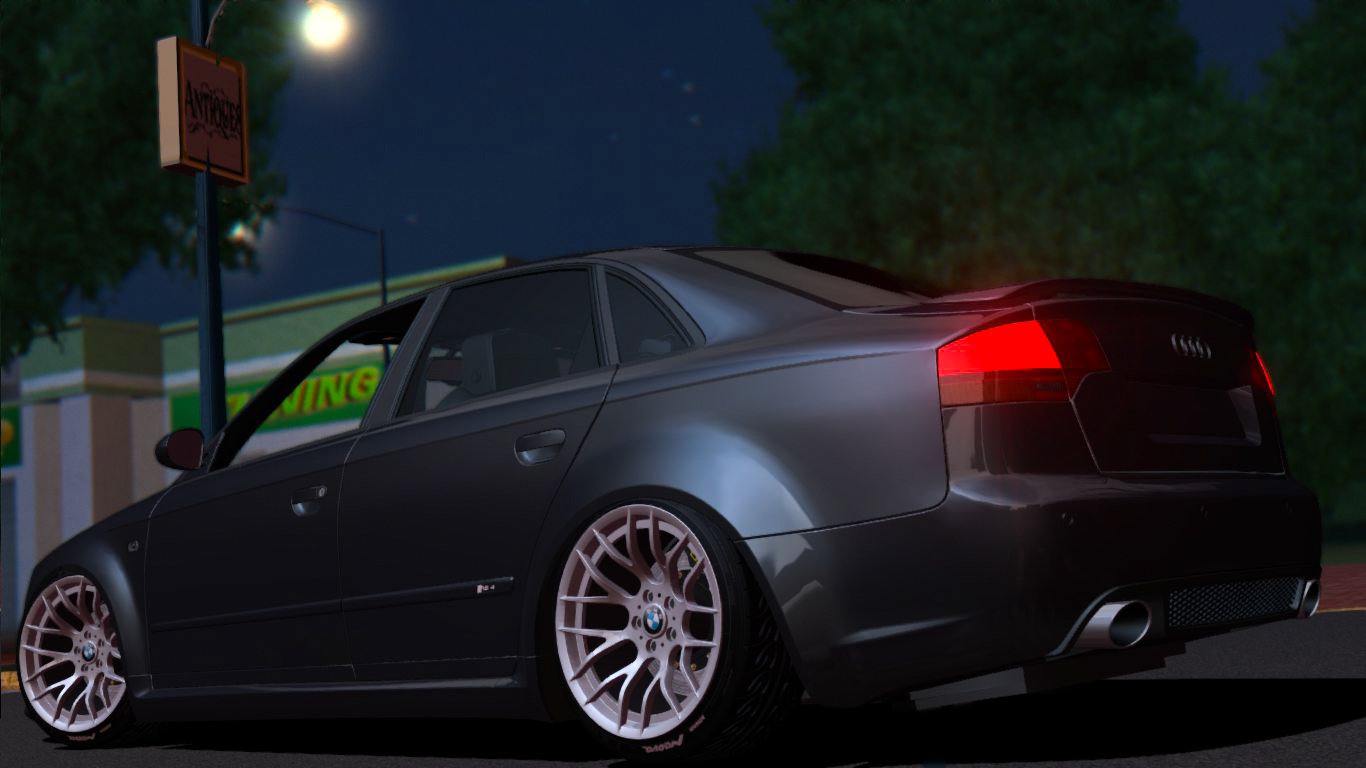
Enable MSAA 8x in nvidia inspector and a nice Enb Series.
My setup:
Enb Download

May 22, 2015 10:55 am
Moonkey shit that looks good. My new rig has this nvidia inspector so might give it a shot
May 22, 2015 7:06 pm
# Sam C :
Moonkeey shit that looks good. My new rig has this nvidia inspector so might give it a shot
Do not forget to use DSR to play at the highest resolution possible.

May 23, 2015 6:05 am
some pics are photoshoped to give it a good effect but like shaforostov enable AA (Anti-Aliasing) through your video card's menu (Catalyst Control Center, Nvidia Control Panel, etc) and put the graphics on max in-game also don't use fraps or any recording/capture software use the game's default photo option (F12) you can change the key in the game options.
here some examples (not the best quality since this is in 720p and they're also photoshoped)
Spoiler:
Spoiler:
May 23, 2015 7:02 am
# Moonkeey :
Do not forget to use DSR to play at the highest resolution possible.
Whats DCR? hmm I seem to have white lined/jagged edges. I had this on my old desktop when my card was failing :/
Page 1 / 2
Next